Developing a Digital Negative: My Signature 'Cold Contrast' Fujifilm Recipe

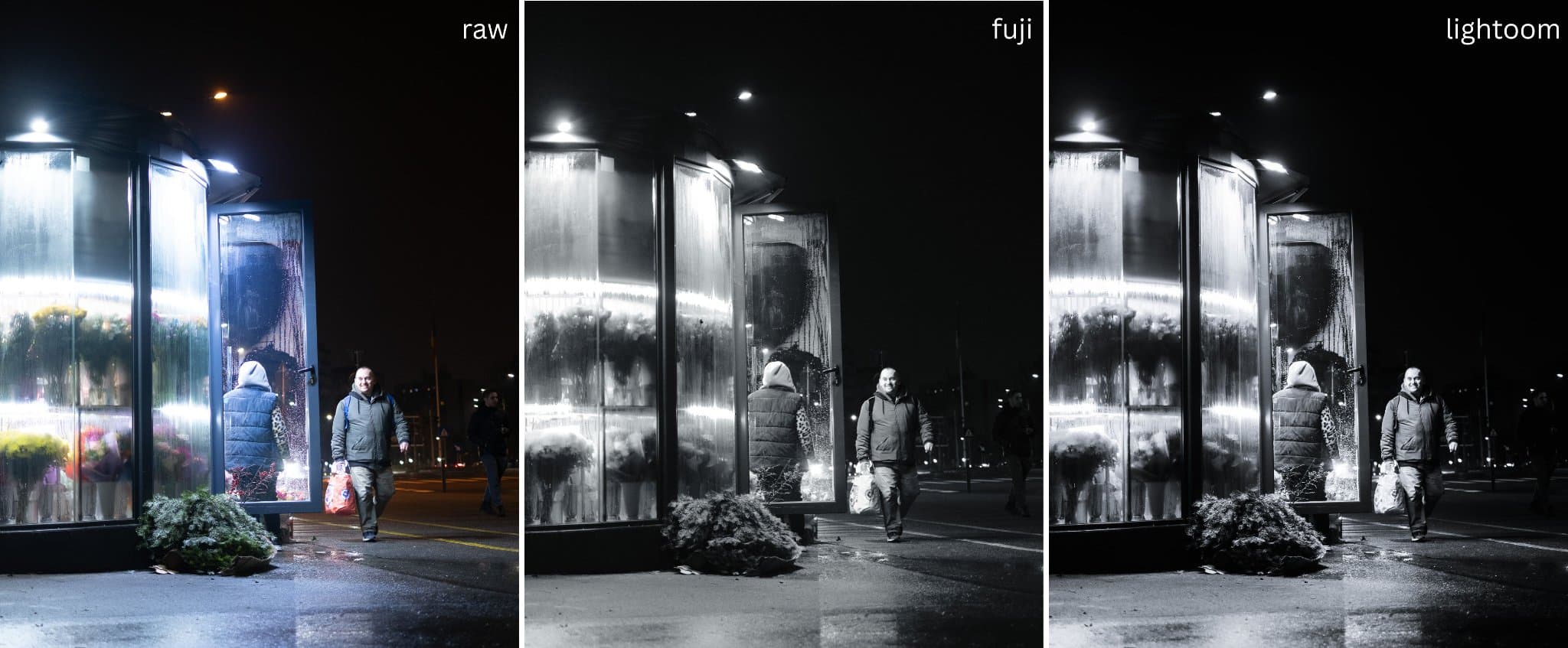
I have always been drawn to the extremes of the histogram. My visual language is built on high contrast - deep, crushing blacks and piercing highlights. But there is a disconnect when the image in the electronic viewfinder looks flat compared to the vision in my head. To bridge that gap, I developed a custom Fujifilm recipe. It is designed to mirror my specific editing style: a high-contrast monochrome with a distinct, cold undertone.
The Goal: Matching the Edit
This recipe isn't just a random assortment of settings; it is reverse-engineered from my Lightroom workflow. I wanted the JPEG coming out of the camera to be 90% of the way there. The result is a look that feels distinctively "street" - gritty yet slightly ethereal, thanks to a negative clarity adjustment.
The Recipe: 'Cold Contrast' Acros
Film Simulation: ACROS + R Filter (The Red filter darkens blue skies and adds immediate drama).
Monochromatic Color: WC: -2 / MG: 0 (This is the secret sauce. It mimics the blue split-toning I apply in post. For a colder look, push to -3).
Dynamic Range: DR200 (Protects the highlights from blowing out).
Grain Effect: Weak / Small (Just enough texture to break the digital cleanliness).
Tone Curve: H: -1 / S: +2 (Recovers details in the bright spots while deepening the shadows).
High ISO NR: -2 (Let the natural sensor noise breathe).
Sharpness: -2 (For a soft look)
Color Chrome Effect / FX Blue: Off (Not applicable to B&W).
White Balance: Auto.
Click to view larger
The Workflow: The Edit vs. The Recipe
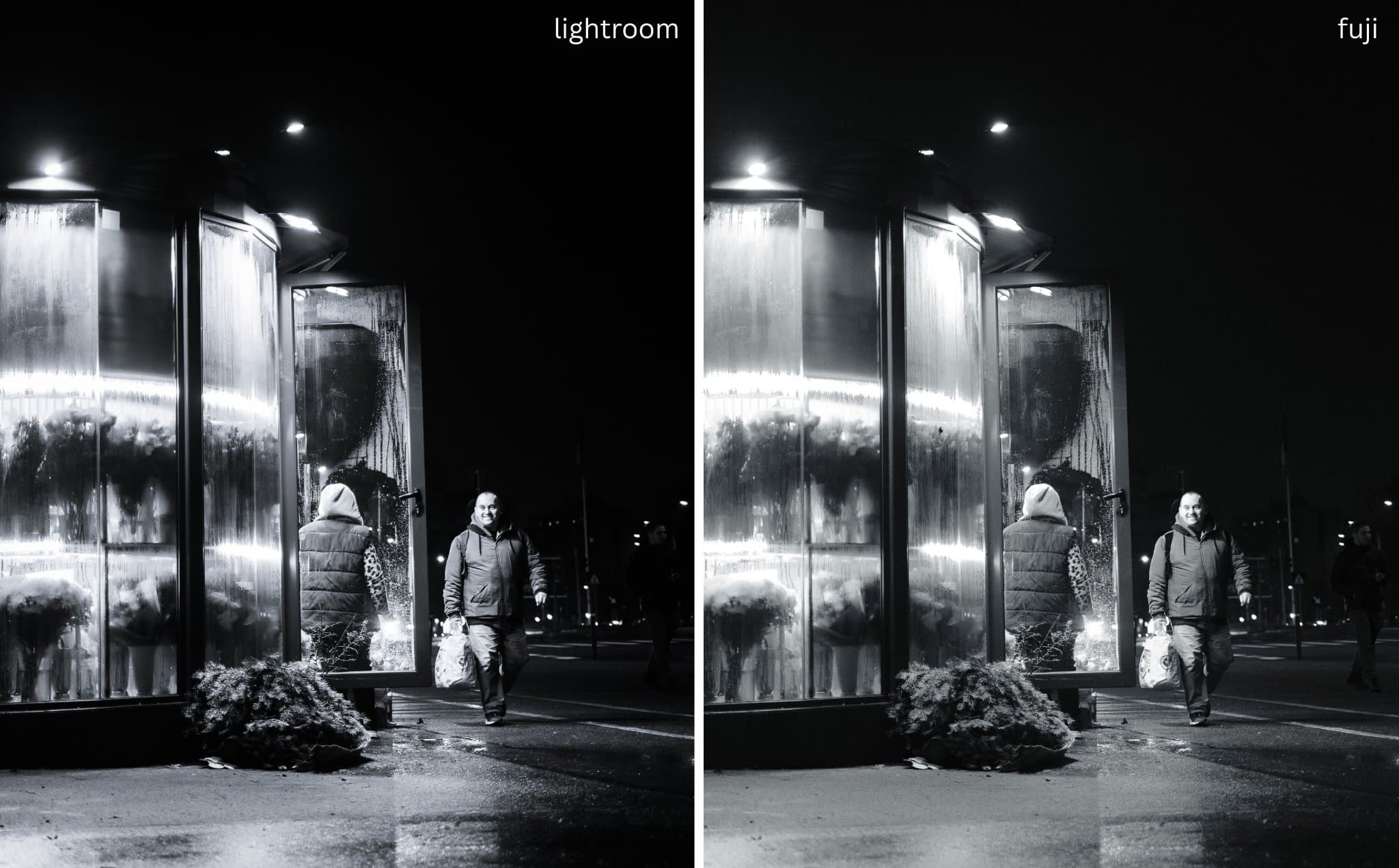
You can see in the comparison above just how effectively the camera can mimic the post-processing. On the left is my fully edited RAW file; on the right is the JPEG straight out of the camera. The ACROS + R cuts through the haze, and the Tone Curve gets the contrast critically close to the final look. The closer the viewfinder image matches your feeling, the more intuitive the shooting process becomes.
While I still shoot RAW to have the ultimate control, having this recipe active changes how I compose. I see the shadows as they will be, not as the sensor sees them. It allows me to expose for the highlights with confidence, knowing the shadows will fall into that deep, cold abyss I love.
The Evolution: RAW vs. JPEG vs. Final
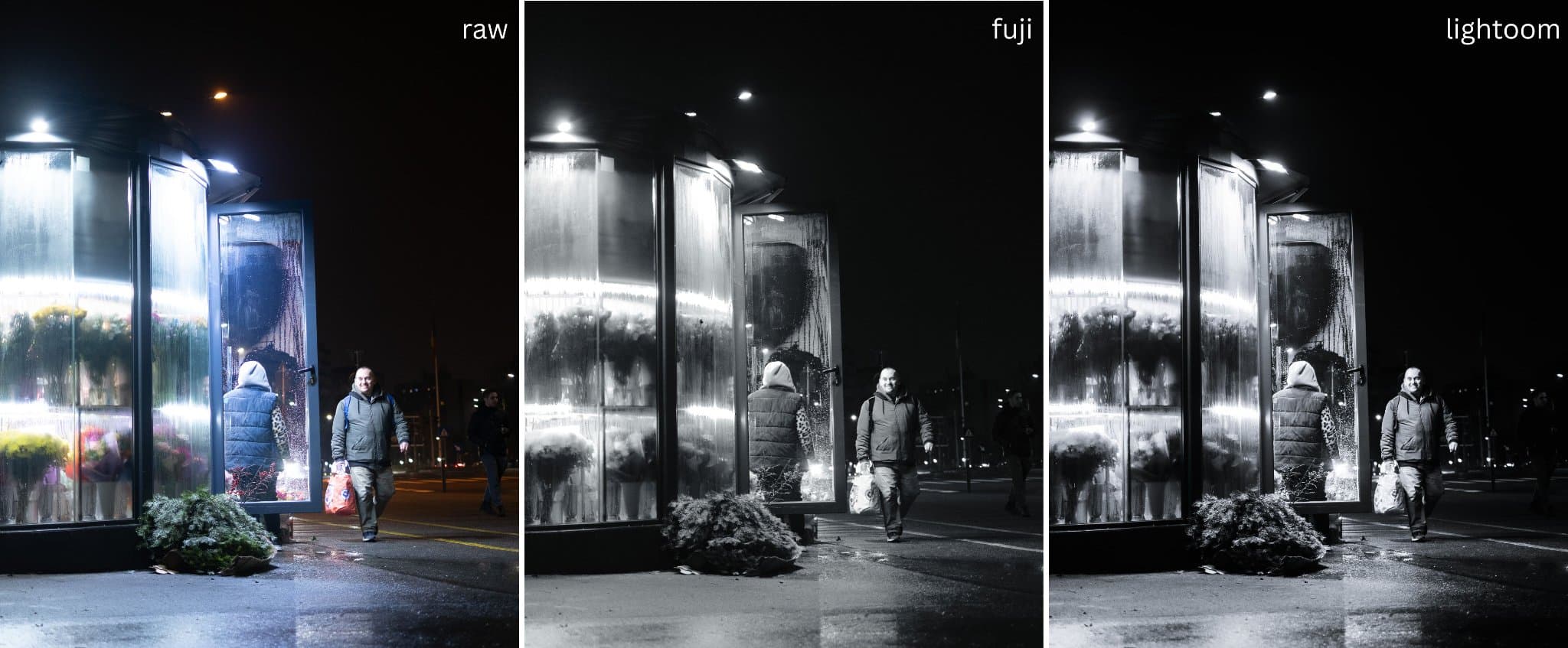
To truly understand how this recipe fits into my process, you need to see the progression. Below is a breakdown of the same image in three stages: the flat, data-rich RAW file; the in-camera JPEG using the 'Cold Contrast' recipe; and the final Lightroom edit.
Click to view larger
Notice how the Center image (JPEG) bridges the gap? It removes the "flatness" of the RAW file while I'm shooting, allowing me to compose for contrast. However, I still commit to the RAW file for the final touches - specifically for local adjustments and noise control.
The Setup (For the Pixel Peepers)
For those asking about the specific conditions of this shot, here is the metadata. This was taken on a dark, wet evening, pushing the prime lens to its widest aperture to soak up the available streetlights.
Camera: Fujifilm X-T50
Lens: XF35mmF1.4 R
Aperture: f/1.4 (Wide open for maximum light and subject separation)
Shutter: 1/125 sec (Fast enough to freeze the walking subject)
ISO: 640
Note that Shutter Speed and ISO were set by the camera, as I mostly shoot in Aperture Priority.
Next Week: The Digital Darkroom
The recipe is only the first half of the story - the capture. The second half is the refinement. Next week, I will open up my Lightroom catalog to share the exact preset that inspired this Fujifilm setup. I’ll break down the sliders, the logic behind the split-toning, and how I polish the RAW files to achieve that final, signature aesthetic.